Web Strategy · Nov 25, 2026 · 11 min read
Bluehost AI Builder Review: I Built and Published a Complete Website Using AI
I tested Bluehost AI Builder by generating, customizing, and publishing a complete website using AI. Explore my hands-on experience, features, and pricing.
Sponsored Post & Affiliate Disclosure: This article is sponsored by Bluehost. Bluehost is compensating me for publishing this review. Additionally, I earn a commission on qualifying purchases made through my Bluehost affiliate link. This article documents my actual experience testing Bluehost AI Builder.
Building a professional website traditionally requires several things: planning the structure, designing the interface, writing content, arranging sections, and bringing everything together into a functional website. Even with modern website builders, getting the design and structure right can take considerable time.
But what if you could describe the website you want in a simple conversation and let AI handle the initial development?
That's exactly what I wanted to explore when testing Bluehost AI Builder.
Rather than simply looking at its promotional material, I decided to build an actual website, experiment with its AI-powered editing experience, and publish the finished result.
The experience was particularly interesting because I wasn't just able to generate a homepage. Bluehost AI Builder created a complete website, and I could refine its design by chatting with the AI.
In this review, I'll walk you through my experience, show the actual screenshots from my testing process, explain how the AI editing worked, and share where you can try it yourself.
What Is Bluehost AI Builder?
Bluehost AI Builder is an AI-powered website creation experience from Bluehost that allows users to create websites by describing what they want in natural language.
Instead of manually starting with a blank page and arranging every element yourself, you can describe your business, website requirements, and preferred design direction. The AI then uses that information to generate a website.
One of the interesting aspects is the conversational approach to website creation.
You can start with an initial prompt, review the generated website, and continue chatting with the AI to request design changes and improvements.
For someone who wants to get a website online without beginning with a complicated design process, this approach offers an interesting alternative.
Bluehost AI Builder is available with $0 to start, no credit card.
My Hands-On Experience: Building a Complete Website with Bluehost AI Builder
For my test, I decided to create a premium digital agency website.
I wanted something more substantial than a basic landing page. My objective was to see how well the AI could understand a detailed website brief, organize different sections, establish a consistent visual direction, and generate a complete website.
I used a detailed prompt describing the agency's identity, target audience, services, visual style, homepage structure, and additional website pages.
I also provided specific instructions regarding typography, colors, layouts, navigation, and conversion-focused elements.
1. Starting with an AI Website Prompt
The first step was describing the website I wanted to create.
I entered a detailed prompt explaining the type of business, its services, desired design direction, and the different sections I wanted included.
This is where the conversational website-building approach becomes interesting. Rather than manually selecting a template and beginning the design process from scratch, I could communicate the requirements directly.
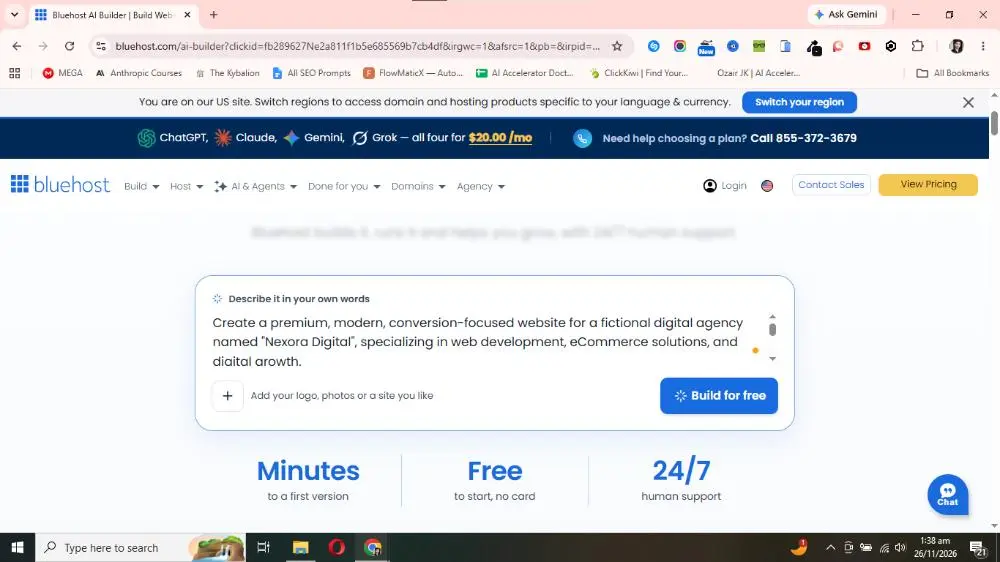
The important thing here is that the quality of your instructions matters. A detailed prompt gives the AI more context about the website's purpose and the design direction you're aiming for.
2. AI Website Generation
After submitting my prompt, Bluehost AI Builder started generating the website.
The process was particularly interesting because I could see that the platform was working through the website creation process rather than simply presenting me with a blank template.
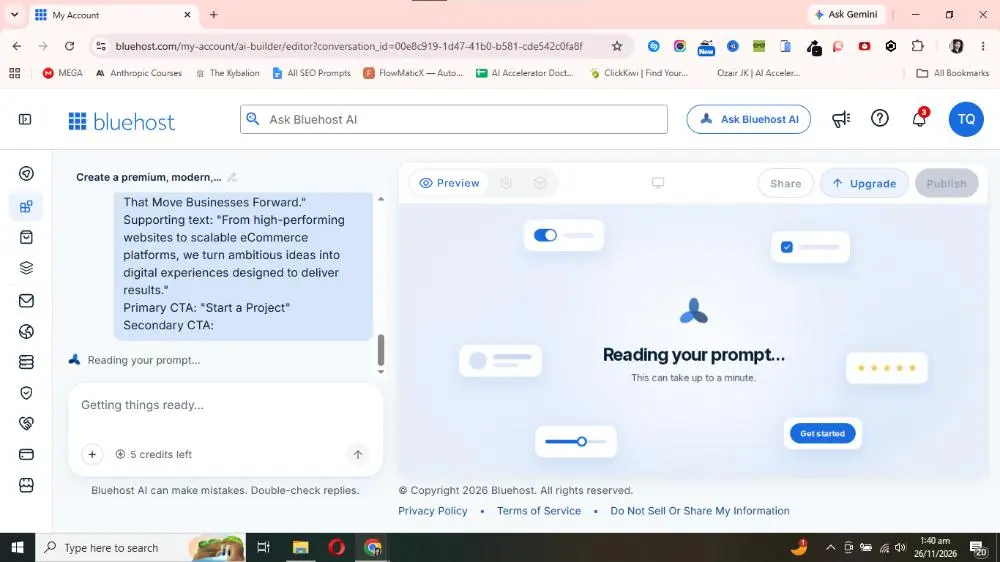
My goal was to create a website that looked like a professionally designed digital agency website, with a clear visual hierarchy and a consistent design language.
The generated result was a pleasant surprise.
3. Reviewing the Generated Website
Once the generation process was complete, Bluehost AI Builder presented the website alongside its AI chat interface.
This gave me an opportunity to review the generated design while keeping the conversation available for further instructions.
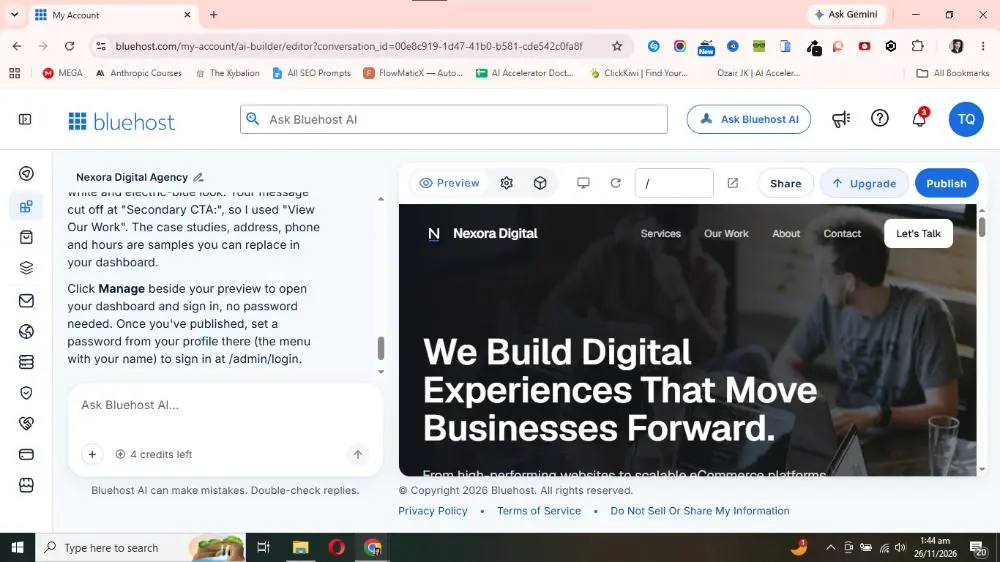
What stood out to me was the AI's design sense.
The overall presentation, section arrangement, visual hierarchy, and design direction were impressive. It didn't feel like I was looking at a basic homepage with a few randomly arranged sections.
More importantly, the AI generated a complete website rather than limiting the output to just one homepage.
For my test, this was one of the most interesting parts of the experience.
Testing Bluehost AI Builder's AI-Powered Website Editing
Generating a website is one thing. Being able to refine it through natural language instructions is another.
I wanted to test how well Bluehost AI Builder understood a specific design request after the initial website had already been generated.
Instead of manually explaining a long list of technical changes, I decided to give it a straightforward design instruction.
4. Changing the Services Section Through AI Chat
I wasn't particularly interested in keeping the original services section. I wanted to present the services in a more visually engaging animated timeline.
So I entered this exact instruction into the AI chat:
"I don't like the service section, I want it in an animated timeline"
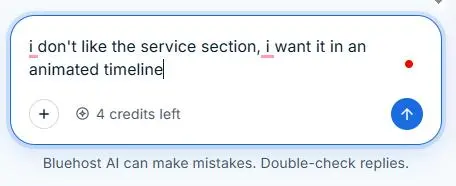
This was a useful test because I wasn't asking the AI to generate another complete website. I wanted it to understand a particular design preference and apply that change to an existing section.
5. AI Generates the Requested Animated Timeline
Bluehost AI Builder understood the instruction and generated the animated timeline design for the services section.
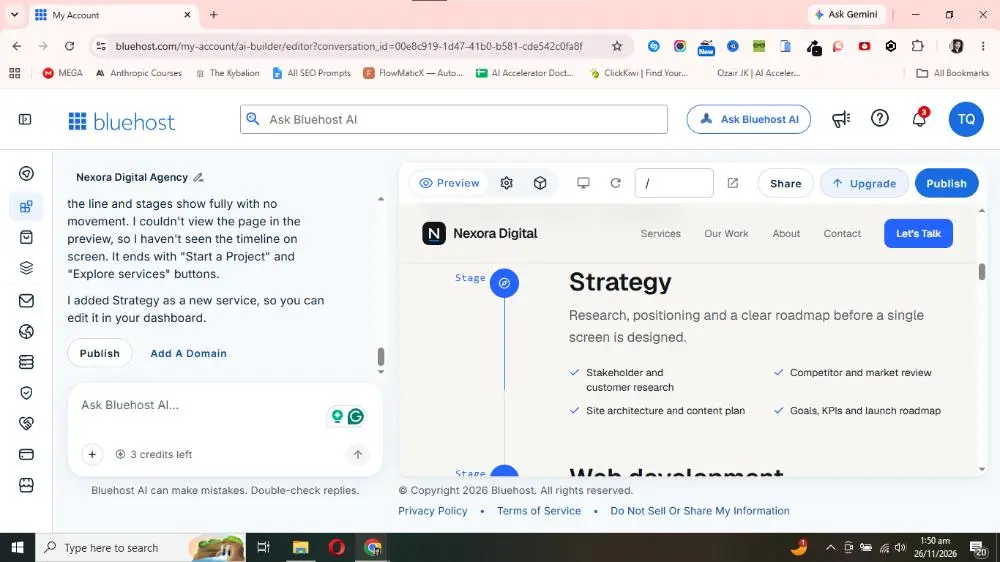
I particularly liked this interaction because I could communicate my design preference in ordinary language without needing to manually describe the technical implementation.
The AI understood the requested visual direction and produced the updated section.
For me, this demonstrated the value of conversational editing. You can review an existing design, identify something you'd like to change, and explain your preference directly.
It makes the website-building experience feel much more interactive.
Previewing and Publishing the Website
After generating and refining the website, I wanted to see the final result outside the AI editing interface.
I opened the website preview in a separate browser tab to inspect the standalone website experience.
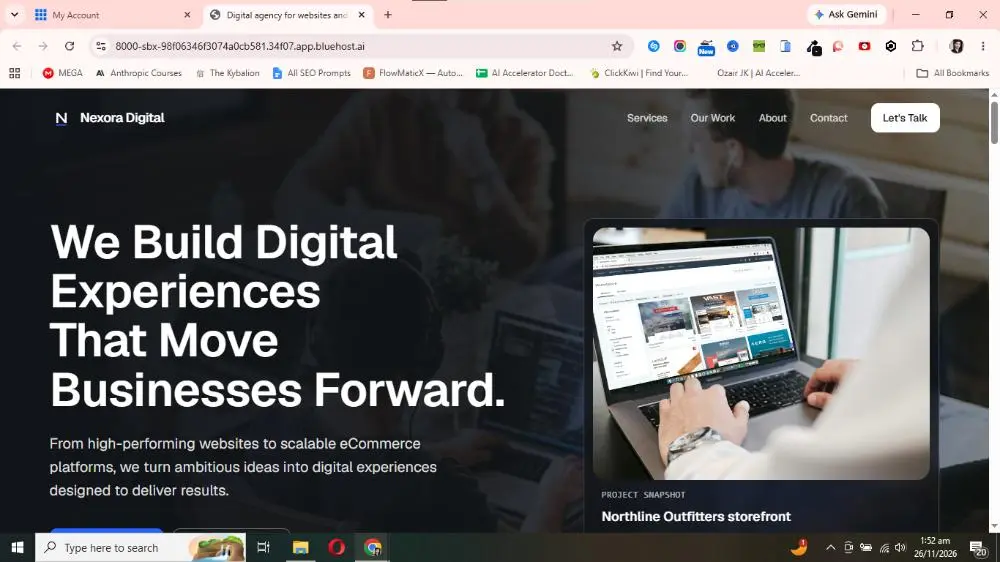
I also captured the complete homepage to document the final design.
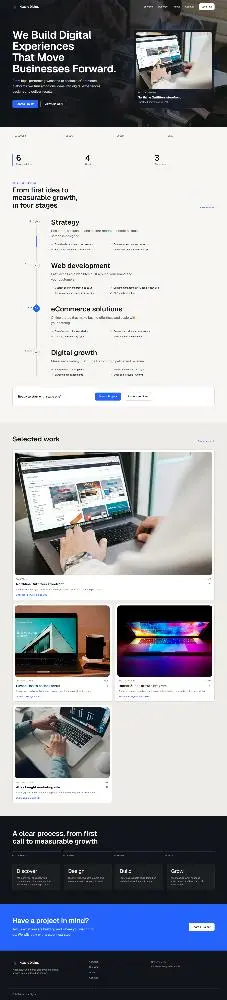
You can explore my actual test website here:
View My Website Built with Bluehost AI Builder
One detail I particularly appreciated was the publishing experience.
I was able to publish my generated website using the free plan without being asked to provide credit card details before publishing.
For anyone who wants to experiment with AI-powered website creation before committing financially, being able to start and publish without entering card details is a welcome benefit.
What I Liked About Bluehost AI Builder
After completing my test, a few aspects stood out.
1. Conversational Website Creation
The ability to describe a website in natural language makes the initial creation process approachable.
You don't have to begin by manually arranging every section. You can explain your requirements and let the AI generate the initial website.
2. Impressive Design Direction
The visual quality of my generated website was one of the highlights of the experience.
I particularly liked how the AI approached the layout, section composition, and overall visual presentation.
For my test, the generated design provided a strong starting point for a professional-looking digital agency website.
3. AI-Powered Design Refinements
The conversational editing experience was another highlight.
My animated timeline test demonstrated how I could communicate a design change using a simple instruction and receive an updated section.
This makes the experience more flexible than simply accepting the first generated version.
4. Complete Website Generation
I particularly appreciated that the AI generated a complete website rather than just a homepage.
This makes the platform interesting for people who need a broader website structure instead of a single-page online presence.
5. Free Start and Publishing Experience
Another positive aspect was being able to start with $0 to start, no credit card.
I generated and published my test website without entering credit card information before publishing.
That made it easy to explore the experience without an upfront financial commitment.
Bluehost AI Builder Pricing
If you're considering trying Bluehost AI Builder, pricing is naturally an important consideration.
The campaign's specified pricing information is:
- $0 to start, no credit card
- paid plans from $20/mo
This means you can start exploring the AI website-building experience without providing credit card details.
Paid plans start from $20/mo.
I recommend checking the official Bluehost AI Builder page for the latest plan details, included features, and applicable terms before choosing a paid option.
Who Should Try Bluehost AI Builder?
Based on my experience, Bluehost AI Builder is worth exploring for several types of users.
Small Business Owners
If you run a small business and need a professional online presence, starting with an AI-generated website can make the initial process more approachable.
You can describe your business and the type of website you need instead of beginning with a blank page.
Entrepreneurs and Startup Founders
Entrepreneurs often need to turn ideas into something they can present to customers, partners, or potential investors.
An AI-powered website builder offers an interesting way to get an initial website online.
Freelancers and Independent Professionals
Freelancers who need a portfolio or service-based website can explore AI-assisted website creation as another option for establishing their online presence.
People Exploring AI Website Creation
If you're curious about how AI can help create and customize websites, Bluehost AI Builder provides an opportunity to experiment with the process.
You can start without a credit card and explore its conversational approach to website generation.
Final Verdict: Is Bluehost AI Builder Worth Trying?
After building and publishing a complete website, my experience with Bluehost AI Builder was positive.
What impressed me most was the combination of initial website generation and conversational editing.
I could describe the website I wanted, receive a complete generated website, and then request a specific design change using a simple chat instruction.
My animated timeline experiment was a particularly good example of how this interaction can work.
I also appreciated the visual quality of the generated website and the ability to publish my test website without entering credit card details.
As someone who works with website development, I find AI-assisted website creation an interesting addition to the website-building landscape.
It provides an approachable starting point for people who want to turn an idea into a website without beginning with the traditional manual design process.
If you've been considering experimenting with AI website builders, I'd recommend giving Bluehost AI Builder a try.
Start Building with Bluehost AI Builder
You can start with $0 to start, no credit card and explore what you can create.
Frequently Asked Questions
1. What is Bluehost AI Builder?
Bluehost AI Builder is an AI-powered website creation tool that lets users describe the website they want and use conversational instructions to generate and refine it.
2. Can I build a complete website with Bluehost AI Builder?
Yes. In my hands-on test, Bluehost AI Builder generated a complete multi-page website rather than just a homepage.
3. Does Bluehost AI Builder support AI-powered editing?
Yes. My testing included requesting a change to the services section through the AI chat. I asked for an animated timeline, and the AI generated the requested design.
4. Is Bluehost AI Builder free to start?
Yes. Bluehost AI Builder offers $0 to start, no credit card. I was able to generate and publish my test website without entering credit card details before publishing.
5. How much does Bluehost AI Builder cost?
Bluehost AI Builder has paid plans from $20/mo. Check Bluehost's official website for the latest pricing and plan details.
6. Can beginners use Bluehost AI Builder?
Its conversational approach makes it approachable for people who want to create a website by describing their requirements in natural language.
7. Where can I try Bluehost AI Builder?
You can explore Bluehost AI Builder using the link below:
Start creating with $0 to start, no credit card.
Written by Huzaifa Qureshi (Conversion-Focused Web Developer & Strategist).